We decided to make a squishy soft video/audio controller.
I began by making the sensors we were interested in using talk to the computer. We had ordered some sensors we wanted to play with: flex sensors, a larger force sensing resistor, accelerometers, light sensors, and a proximity sensor.
I wired the sensors so that we have their output ranges, and their circuit needs, and a general serial communication code. Based on the last lab, I wired them and read them as an array in processing, but this time using the call and response method to foresee any issues with delay because of the media processing.
They are wired in this order:
0. long force sensing resistor
1. flex sensing resistor
2. flex sensing resistor
3. accelerometer
4. ambient light sensor
5. infrared proximity sensor
digital 2. switch

Arduino sketch for 6 analog inputs and one switch:
int analogOne = 0;       // analog input
 int analogTwo = 1;
 int analogThree = 2;
 int analogFour=3;
 int analogFive=4;
 int analogSix=5;
 int digitalOne = 2;      // digital input
int sensorValue = 0; // reading from the sensor
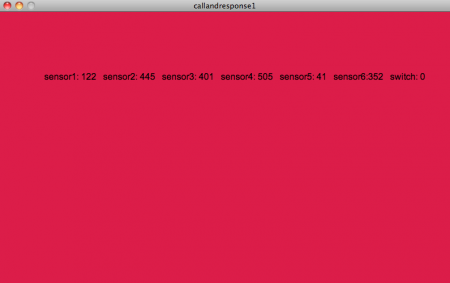
And the processing sketch receiving 7 variables, still just using a few of the readings to move the ball from the lab, but we will transform this sensor to variable output to control our media.
boolean firstContact=false;

import processing.serial.*;
Serial myPort;

PFont f;

float bgcolor;
float fgcolorR,fgcolorG,fgcolorB;
float xpos, ypos;

void setup() {

  size(800,480);
  f=createFont("Arial",16,true);
  println(Serial.list());

  myPort = new Serial(this, Serial.list()[0], 9600);
  myPort.bufferUntil('\n');
}

void serialEvent(Serial myPort) {

  String myString = myPort.readStringUntil('\n');
  if (myString != null) {
     myString = trim(myString);

    if(firstContact==false){
      if(myString.equals("hello")){
        myPort.clear();
        firstContact=true;
        myPort.write('A');
      }
    }
    else{
    int sensors[] = int(split(myString, ','));
    for (int sensorNum = 0; sensorNum < sensors.length;
         sensorNum++) {
      print("Sensor " + sensorNum + ": " +
             sensors[sensorNum] + "\t");

   background(203,0,57);
  textFont(f);
  fill(0);
  textAlign(LEFT);
  text("sensor1: " + sensors[0] + "   sensor2: "+
sensors[1] +" sensor3: " +sensors[2]+
" sensor4: " +sensors[3]+ " sensor5: " +
        sensors[4]+ "   sensor6:"+sensors[5]+
        "   switch: " +sensors[6], width/10, height/4);

    }
    println();
    }
    myPort.write('A');
}
}
void draw() {}